Invoicing by document reference
Availability
Features vary with the edition and configuration you subscribe to: check your licence for the features it includes. Why can't I see a feature?
Invoice in one go whole documents already issued to a customer, such as Delivery Notes and Pro Forma Invoices. The Invoice takes each document with all its lines, and saving it closes those documents.
Before you start
- The documents are saved, belong to the same customer and are still open (not yet invoiced).
- Series: you need an Invoice series you may use.
Choosing the documents
- In Invoicing, create an Invoice and choose the customer.
- Above the lines, select Document. Related Document lists that customer's open documents dated in the period shown.
- If a document is missing, change From and To, or tick its series at the bottom, then select Update.
- Tick the documents to invoice, or Select All, then select Select.
- Check the Invoice and save.
About these screenshots
They come from the demo company Belga Coffee & Equipment, whose series titles are in French (Bon de Livraison, Facture Pro Forma, Facture). Your series titles and numbers will differ. This example comes from a fictitious tenant in one country. Document names and formats follow that tenant's configuration and tax model; they do not limit how Gestix works in other countries.
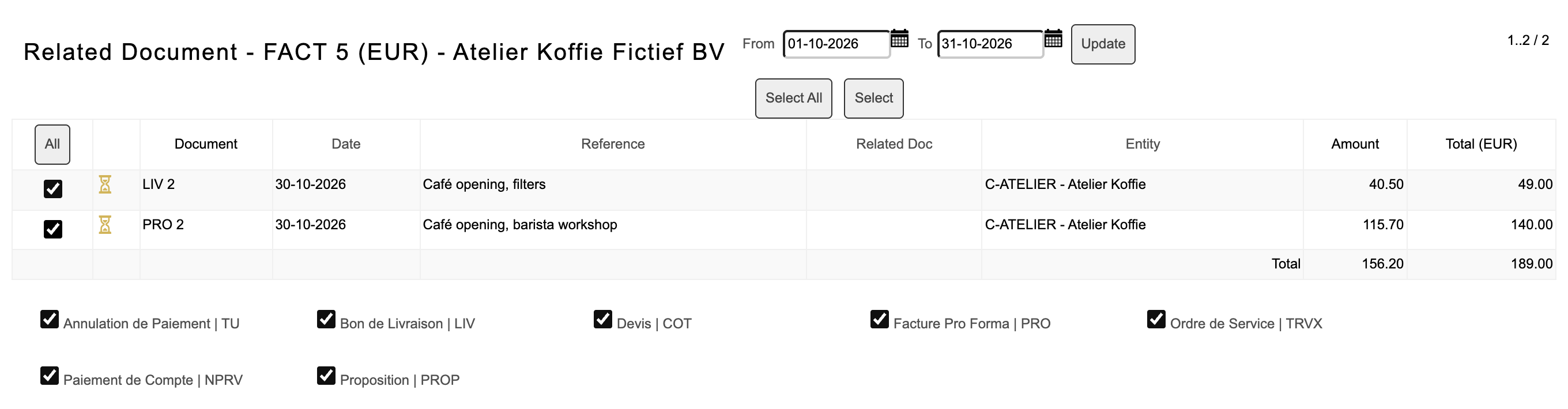
Related Document for one customer: Delivery Note LIV 2 and Pro Forma Invoice PRO 2, 189.00 in all.
On the Invoice, each document starts with its number and date. Select the eye beside it to open the document. Its reference and its lines follow.
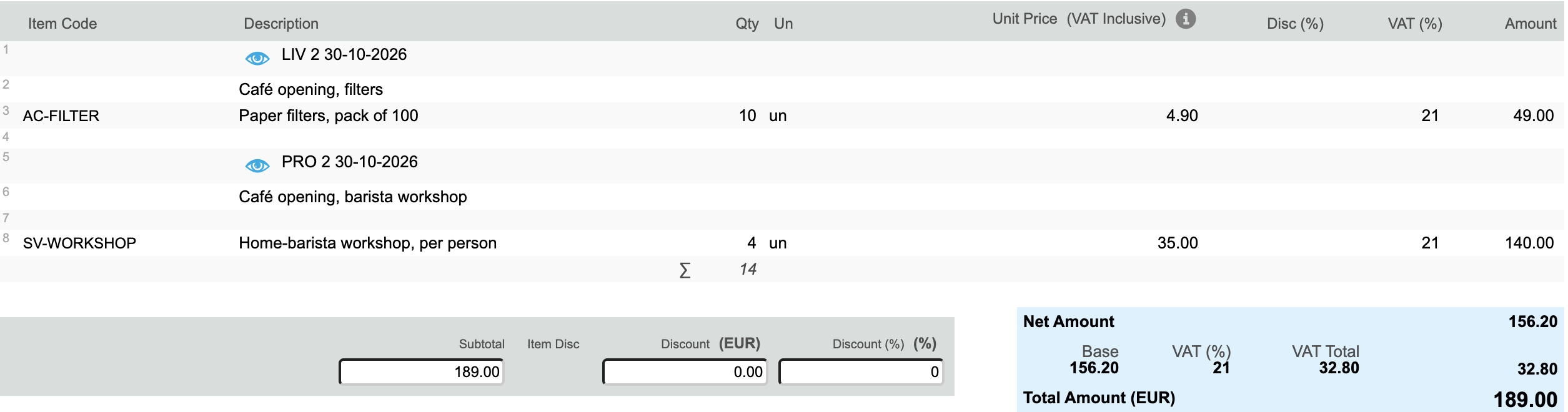
Invoice FACT 5: the filters of LIV 2 and the workshop of PRO 2. Both documents have VAT-inclusive prices, and so has the Invoice: 189.00, as the two documents.
After saving
Each referenced document is closed and lists the Invoice, with the amount it billed. Select the eye to open the Invoice.
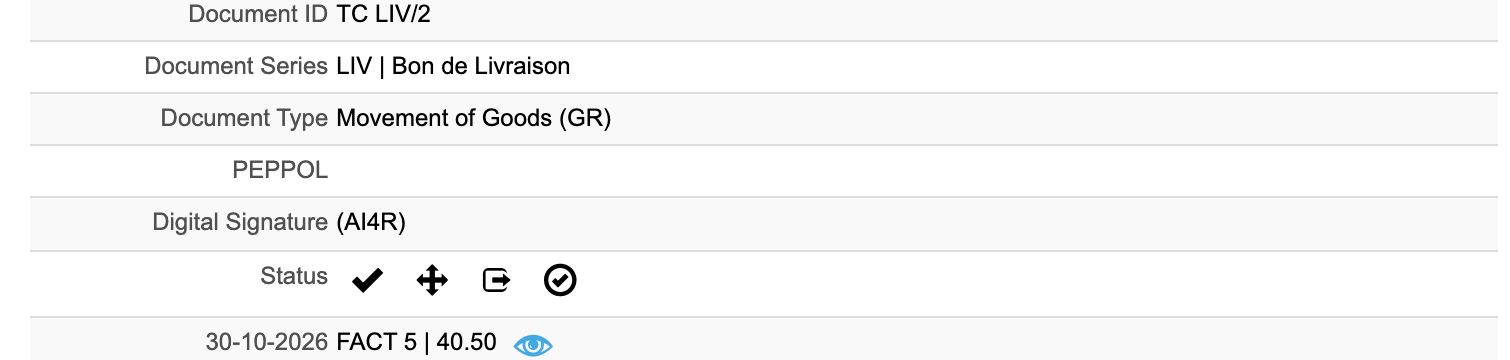
LIV 2 after Invoice FACT 5.
Voiding the Invoice reopens the documents, so you can invoice them again.
What Document does not offer
- Consignments. Invoice what the customer has sold from the Consignment itself, or select Consignments above the lines (see Invoicing and returning goods on consignment).
- Part of a document. Document adds whole documents. To invoice only some lines or quantities of Orders, use Orders (see One Invoice from several Orders).
- A document already on the Invoice through Orders or Consignments. One document enters an Invoice in one way only.