Fulfilling an order in stages
Availability
Related licence features: Orders.
Features vary with the edition and configuration you subscribe to: check your licence for the features it includes. Why can't I see a feature?
Deliver or invoice a customer Order in as many stages as you need. The Order shows, line by line, what has been fulfilled and what remains, and lists the documents that fulfilled it.
Before you start
- The Order is saved and still has quantities remaining.
- Series: you need a Delivery or Invoice series you may use.
Fulfilling all or part of an Order
- Open the customer Order.
- In the toolbar, select Delivery to ship goods, or Invoice to invoice directly from the Order. The new document proposes the quantities that remain on each line.
- Change the quantities to what you are delivering or invoicing now. Remove a line that you are not fulfilling yet.
- Save the document.
Quantities you do not fulfil stay on the same Order. Repeat the steps later for the rest: there is no separate back-order document.
Next steps in the Order's toolbar reminds you: "You can choose all or part of the remaining eligible quantities in the next document. Unfulfilled quantities stay on this order and can be processed later."
Reading the Order's progress
Each Order line shows three quantities:
| Column | Meaning |
|---|---|
| Qty | What the customer ordered |
| Fulfilled | What Deliveries and Invoices created from the Order have fulfilled |
| Remaining | What is still to be fulfilled |
Resulting documents, above the lines, lists the Deliveries and Invoices created from the Order to fulfil it. Open them from there.
About these screenshots
They come from a second fictional company, Demo Coffee Works, whose series titles are in Portuguese (ENC - Encomenda, Guia de Remessa). Your series titles and numbers will differ. This example comes from a fictitious tenant in one country. Document names and formats follow that tenant's configuration and tax model; they do not limit how Gestix works in other countries.
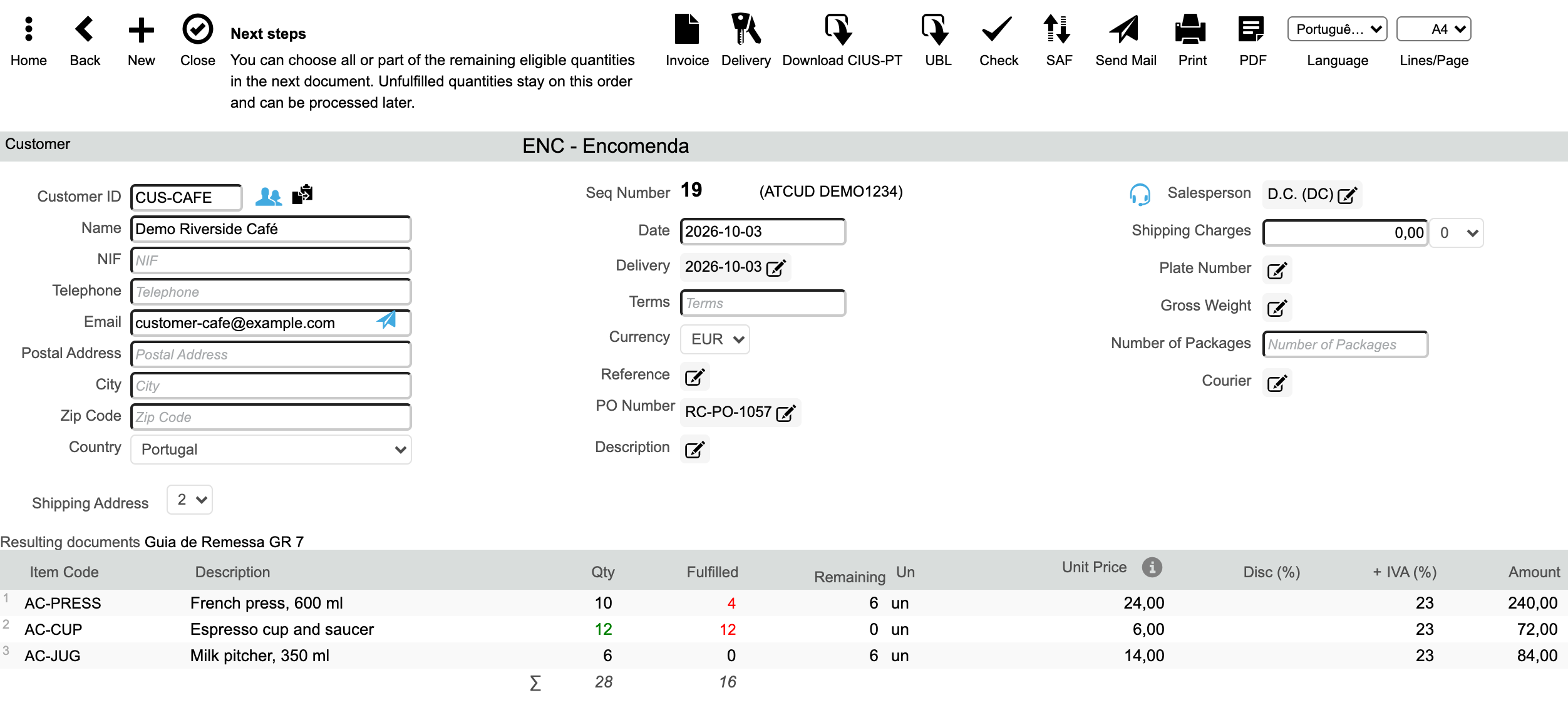
One Order, partly delivered: French press 10 / 4 / 6, espresso cups 12 / 12 / 0, milk pitchers 6 / 0 / 6. The Delivery GR 7 is listed under Resulting documents.
What fulfils an Order, and what moves stock
| Document | Fulfils the Order | Issues goods from stock |
|---|---|---|
| Delivery created from the Order | Yes, the delivered quantities | Yes |
| Invoice created directly from the Order | Yes, the invoiced quantities | Yes |
| Invoice of a Delivery | No: the Delivery already did | No: the Delivery already did |
Saving the Order itself moves no stock. It records the customer's demand, which each article shows as quantities on open customer Orders. Gestix does not set aside specific stock units for an Order.
If an Invoice that fulfilled part of an Order is voided, its quantity returns to the Order as remaining.
When the Order is complete
When no line has anything remaining, the Order closes. Next steps and Invoice are no longer shown, Open replaces Close in the toolbar, and Resulting documents lists every Delivery and Invoice that fulfilled it.
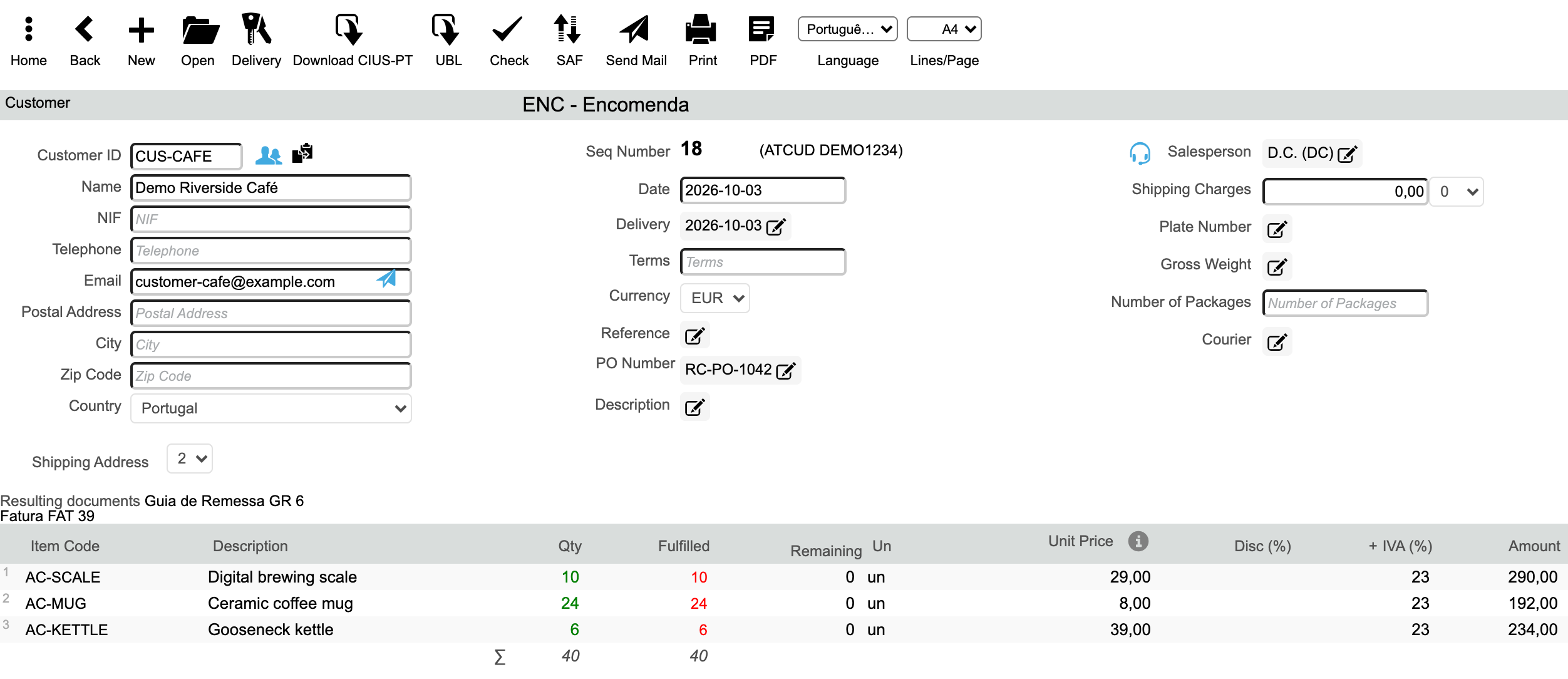
A fully fulfilled Order: every line shows 0 remaining. Its resulting documents are the Delivery GR 6 and the Invoice FAT 39 of the remainder. The Invoice of GR 6 is not listed: it billed the Delivery, not the Order.
With the appropriate permission, you can also close an Order yourself with Close, releasing whatever remains on it.