Receiving supplier documents through Peppol
Receiving supplier documents through Peppol: new in Gestix 7.2.14
Availability
Receiving supplier documents through Peppol: available since Gestix 7.2.14. Settings: Peppol settings (a valid Peppol Legal Entity; series for received invoices and credit notes), user parameter E-mail for received documents (usr_peppol_notify_email).
Features vary with the edition and configuration you subscribe to: check your licence for the features it includes. Why can't I see a feature?
Suppliers who send electronic invoices through the Peppol network can send them straight into Gestix. Each document received becomes a purchase document of the supplier, with the supplier's PDF attached. Nothing received is lost: a document that Gestix cannot finalise is kept as a draft for you to complete, and every document announced to your company is listed in the Peppol reception log.
This page is for the administrators who set up Peppol and the purchasing staff who check the documents received.
What arrives
| The supplier sends | You receive |
|---|---|
| Invoice | Purchase invoice, in the Purchase Invoice series of the Peppol settings |
| Credit note | Purchase credit note, in the Purchase Credit series of the Peppol settings |
The supplier's invoice number becomes the number of the purchase invoice. A received credit note in a series that Gestix numbers gets the series' next number, and the supplier's number is kept in Your Ref. It is stored with positive quantities and amounts, as any purchase credit note, even when the supplier sends them negative.
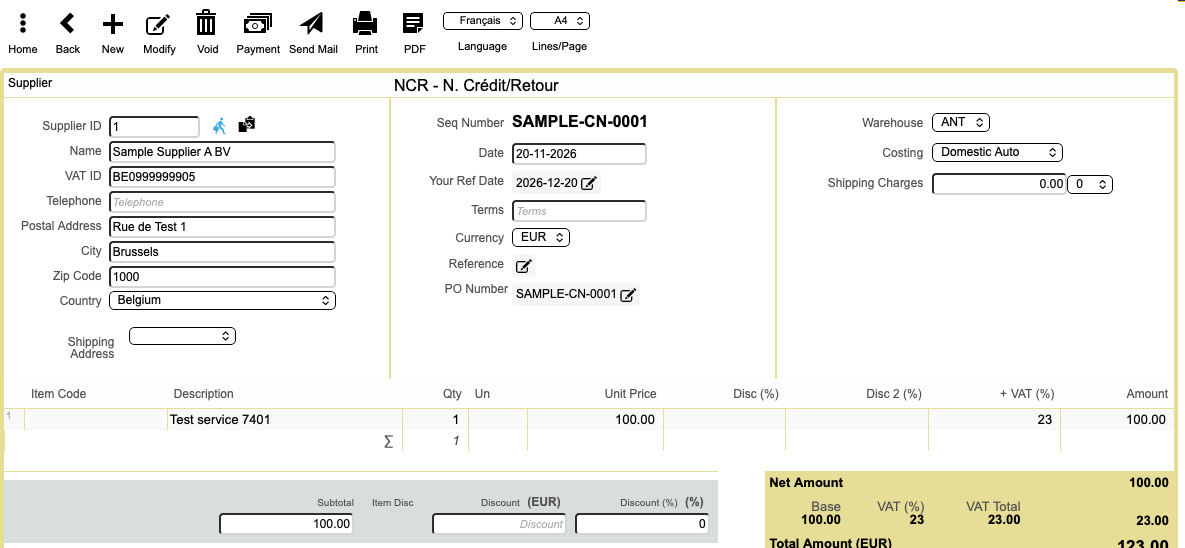
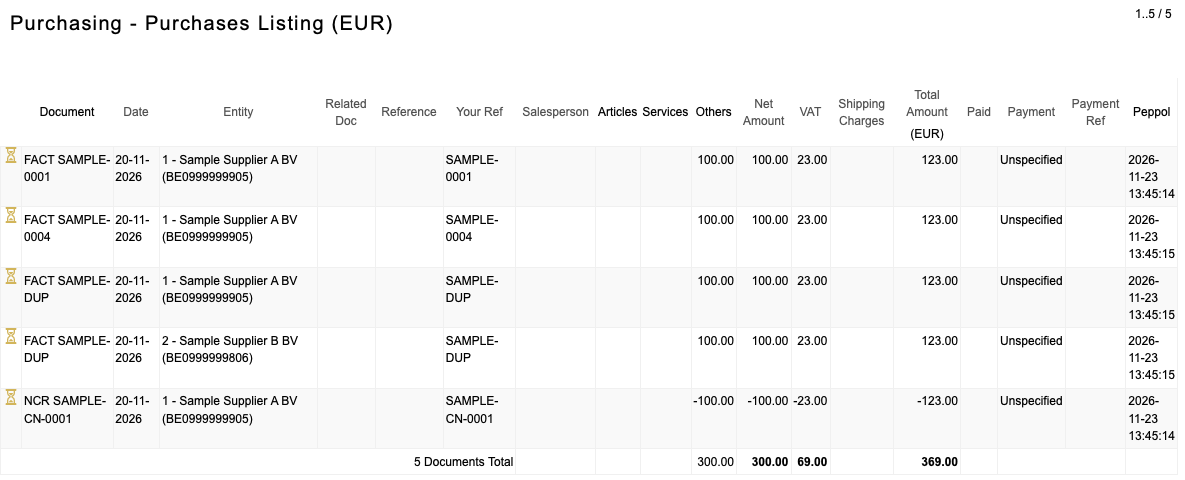
Two suppliers may use the same invoice number in the same purchase series: the number must be unique only for each supplier. The same supplier's number is accepted only once in a series and year.
Set up reception
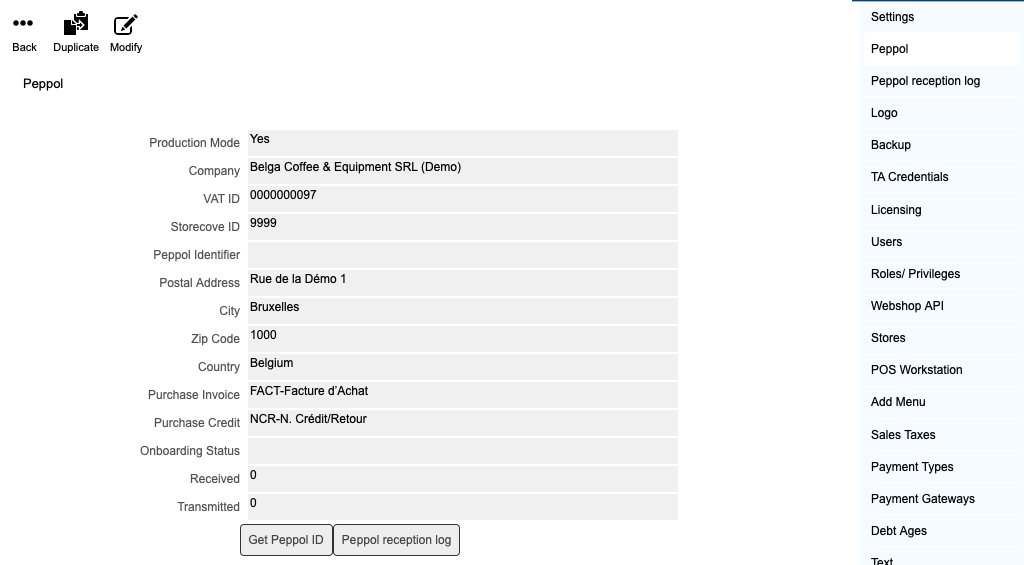
Reception works once your company has a valid Peppol Legal Entity in Admin › Peppol. Open its record, select Modify and choose:
- Purchase Invoice: the series for received invoices, a purchase invoice series;
- Purchase Credit: the series for received credit notes, a Credit/Return Memo or Return Memo series of purchases. Without it, a received credit note is not stored, and the reception log says so.
Then select Save.
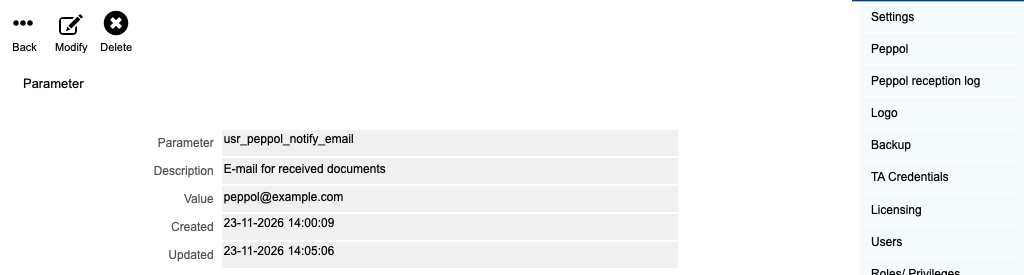
To be told of each document received by e-mail, enter one or more addresses, separated by commas, in E-mail for received documents in Admin › Parameters. Gestix then sends an e-mail for each document received, with the supplier, the document number, date and total, and whether it was finalised or kept as a draft, with the reason.
Documents finalised and documents kept as drafts
A received document is finalised when it passes the same checks as a purchase document entered by hand: it gets its number and updates stock and accounts.
It is kept as a draft purchase document instead when it cannot be finalised, for example when:
- it fails the document validation (for instance an invalid document date);
- its total differs from the supplier's total by more than 0.02 (a difference up to 0.02 is treated as rounding and the document is finalised);
- its number is already used by the same supplier.
The draft is listed in the Drafts block of the Purchasing home page. It has the supplier's PDF and its Peppol record, and its notes end with Not finalised on reception: followed by the reason. To finish it:
- Open the draft from the Drafts block and read the reason in its notes.
- Select Modify, correct what the reason names (lines, totals, date or number), compared with the supplier's PDF.
- Select Save. The document is finalised as usual.
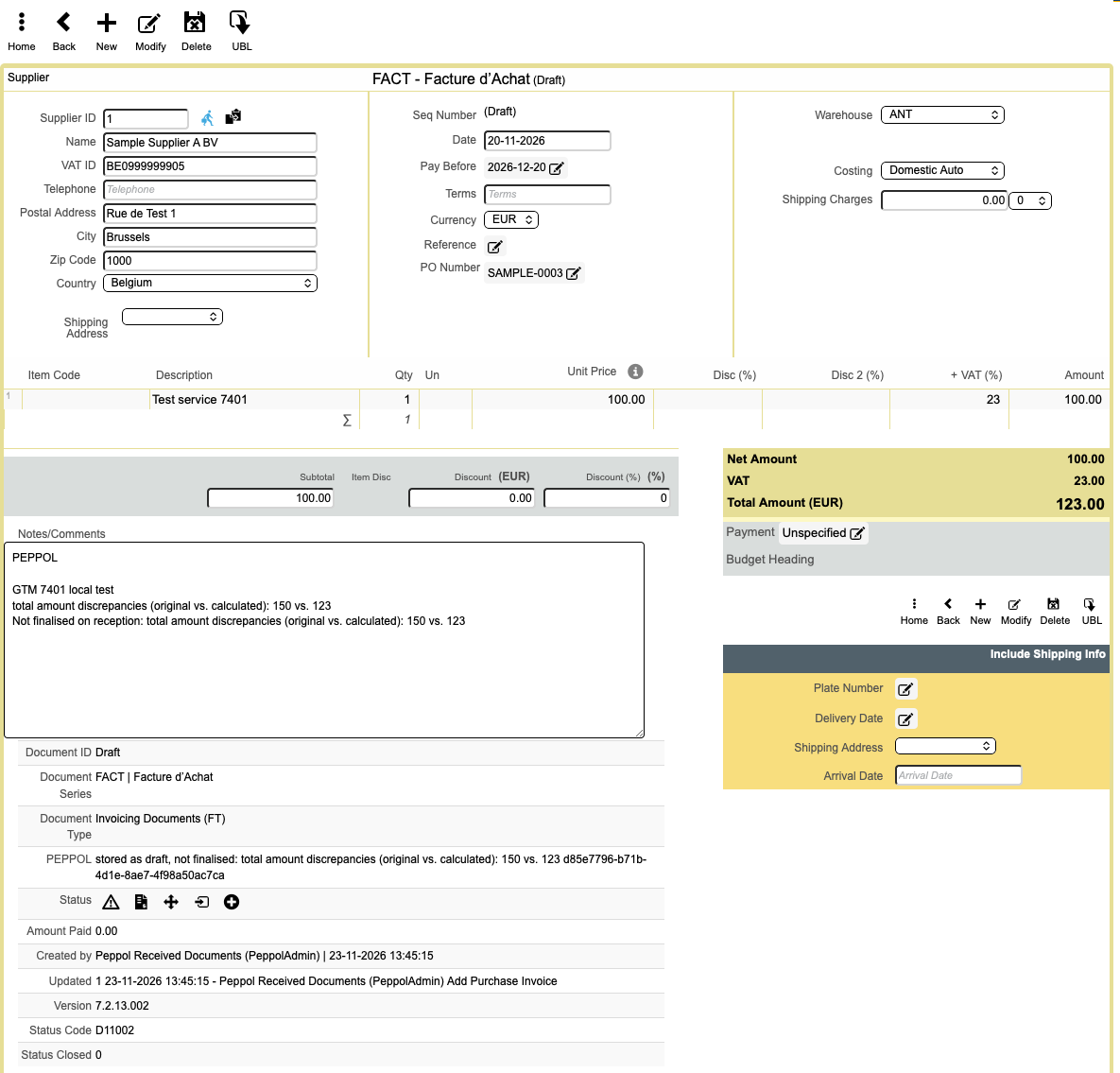
A received document keeps its Peppol record and the supplier's PDF when its draft is finished and when it is changed later, so it stays in the purchases list with the Peppol filter.
See what has arrived
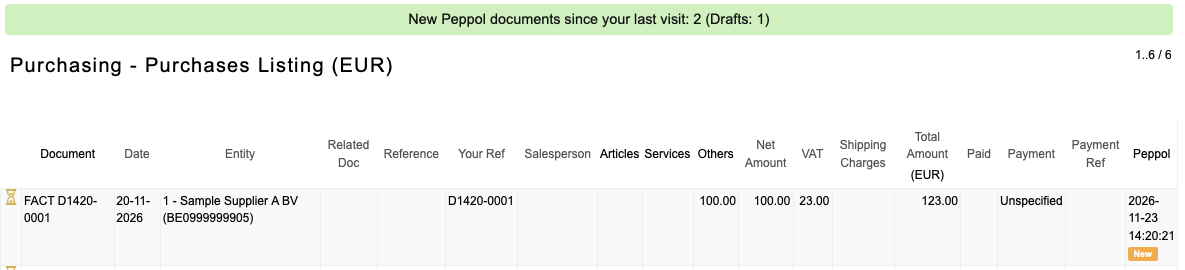
In Purchasing, run the Purchases Listing with EDI set to Peppol. It lists the received documents that were finalised, and the Peppol column shows when each was received. Drafts are not in the listing: they are in the Drafts block.
The first time in a session that you open the listing after new documents arrived, a message gives how many arrived since your last visit and how many of them are drafts, for example New Peppol documents since your last visit: 2 (Drafts: 1), and each new finalised document is marked New. The next time, they are no longer marked. The very first time you open the listing nothing is marked.
The Peppol reception log
Admin › Peppol reception log (also a button in the Peppol settings record) lists every document announced to your company through Peppol in the last 180 days, whether Gestix stored it or not, most recent first:
| Column | Shows |
|---|---|
| Date | When the document was announced |
| Status | Received or Not received |
| Message | What Gestix did with the document, or why it could not store it |
| Document | The purchase document created, with "(draft)" when it was kept as a draft; Retry for a document not received |
| GUID | The document's Peppol identifier |
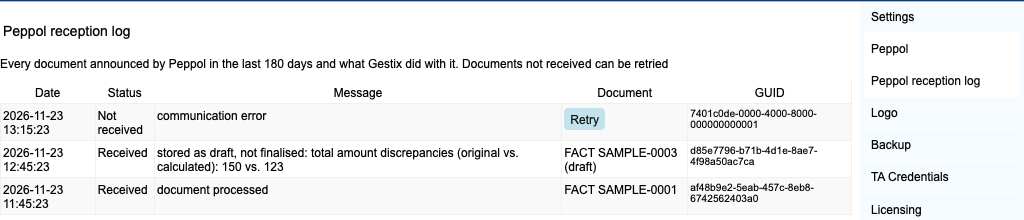
A document is not received only when Gestix cannot create any purchase document from it: for example when the document cannot be read, the supplier cannot be found or created, no series is set for that kind of document, or the company's Peppol registration is not ready. Correct the cause that the message names, then select Retry. Gestix receives the document again in the background: refresh the list after a few seconds.