Finding and reprinting recent sales
Find a completed sale again, and print a copy for the customer.
On the POS: the last three sales
The bottom right of the empty sale screen shows your Store's three most recent sales. Each tile shows the date and time, the document number and the total.
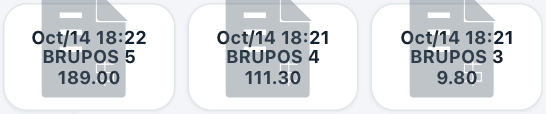
The three most recent Brussels sales.
To print a copy:
- Make sure the ticket is empty.
- Tap the tile of the sale. A copy of that document is printed.
Each copy is counted on the document (Print Count in the back office).
In the back office: Recently Used
For older sales, use the Invoicing module:
- In Gestix, outside the POS, open Invoicing (under Sales).
- Under Recently Used, find the sale by series, date, customer and total.
- Select the row. The document opens.
- To print a copy, select Print in the toolbar.
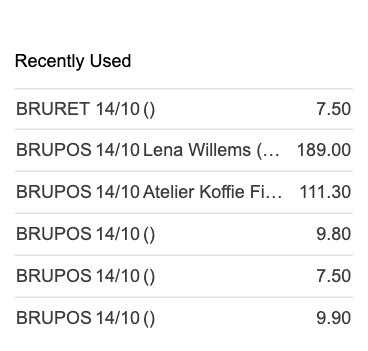
Recently Used shows only your Store's documents.
Note
Use the search fields further down the Invoicing page to find a sale that is no longer in Recently Used.