Cash and card payments
Take payment in cash or by debit card and complete the sale.
The payment buttons
The payment buttons are below the ticket. They show the payment type names set up for your company. In the Belgian examples in this guide, the names are in French:
| Button | Meaning |
|---|---|
| Argent | Cash |
| Carte Débit | Debit card |
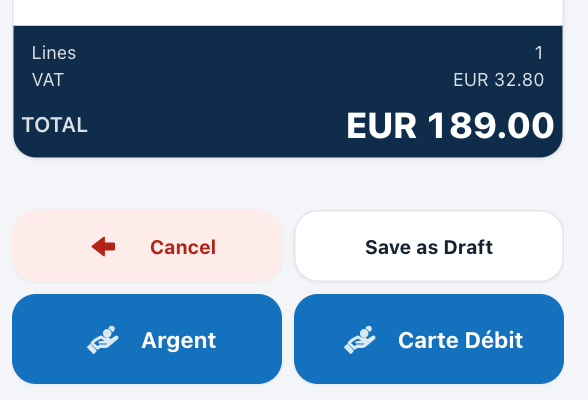
Below the ticket total: Cancel and Save as Draft, then Argent (cash) and Carte Débit (debit card).
Before you pay, check that no line still needs a lot or serial number (see Finding and adding articles).
Before COMPLETE SALE
Check the customer, articles, quantities and total before completing the sale.
Paying in cash
- Tap Argent. The payment sheet opens with the TOTAL.
- Under TENDERED (EUR), type the amount the customer gives you, or tap one of the amounts shown.
- Check the CHANGE.
- Tap COMPLETE SALE.
Paying by debit card
- Tap Carte Débit. The payment sheet opens with the TOTAL. There is no tendered amount.
- Take the card payment.
- Tap COMPLETE SALE.
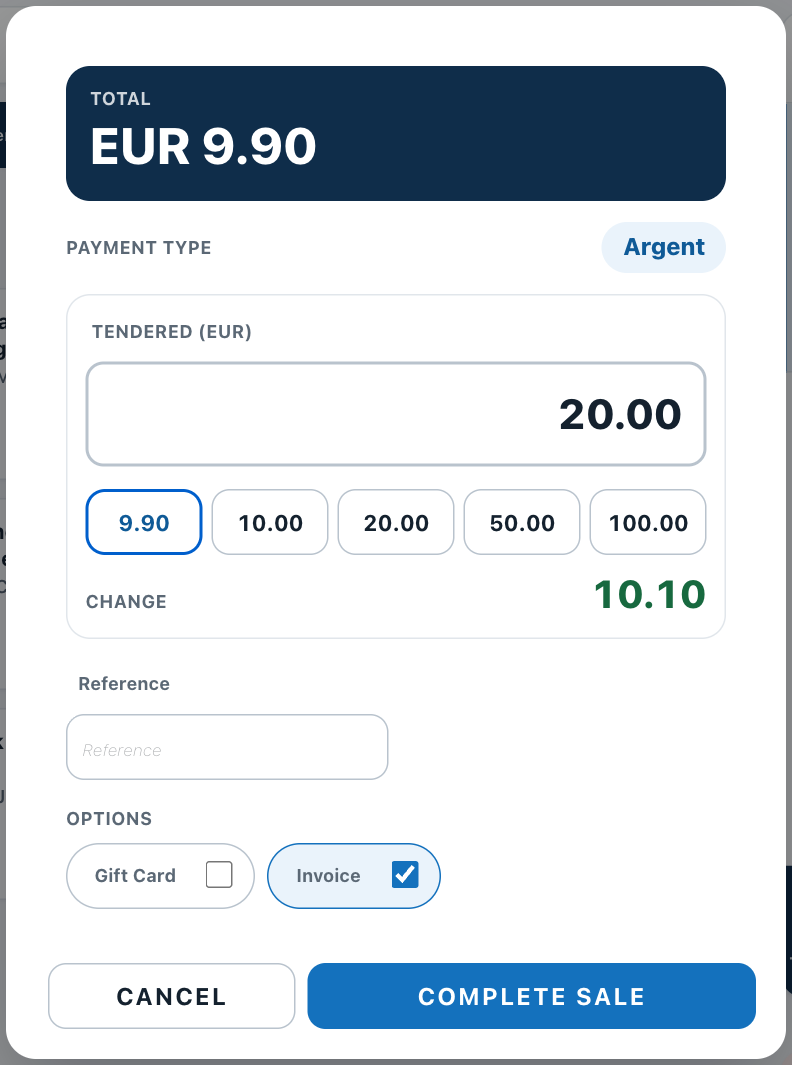
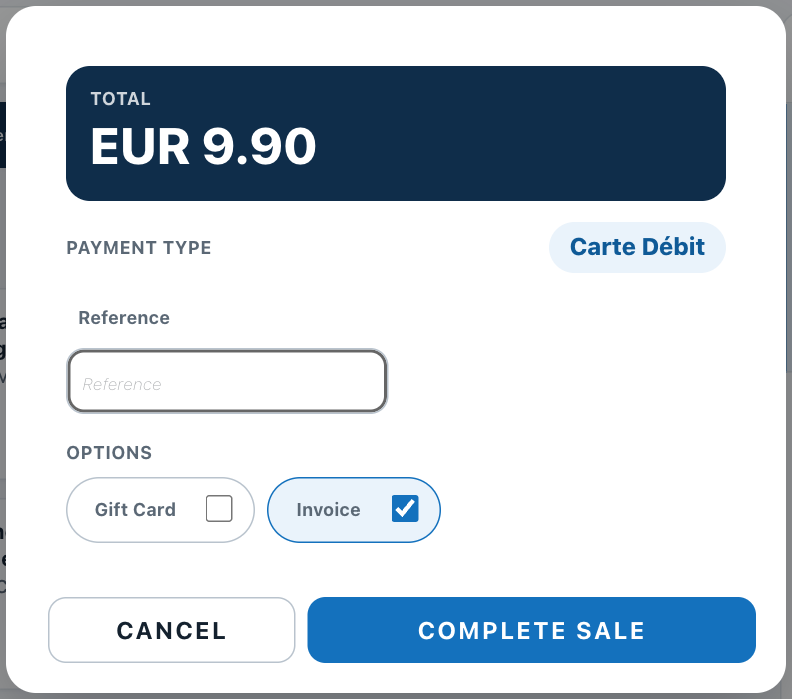
Left: cash, EUR 9.90 to pay, 20.00 tendered, 10.10 change. Right: debit card, no tendered amount.
On the payment sheet
- OPTIONS: what is printed. Invoice is ticked by default.
- CANCEL: closes the sheet without selling. The ticket stays as it is.
Warning
COMPLETE SALE records the sale and updates stock. It cannot be undone at the POS. Returns are made in the back office (see Returns).
After the sale, the ticket is cleared for the next customer, and the sale appears among the recent sales at the bottom right of the screen (see Finding and reprinting recent sales).