Checking the preview
Opening it
Open Administration > Stores, from the notice or from the Admin menu. While POS Store mode is off and there are Stores to propose, the page shows the line Stores can be built from the existing warehouses and series: N, with Preview.
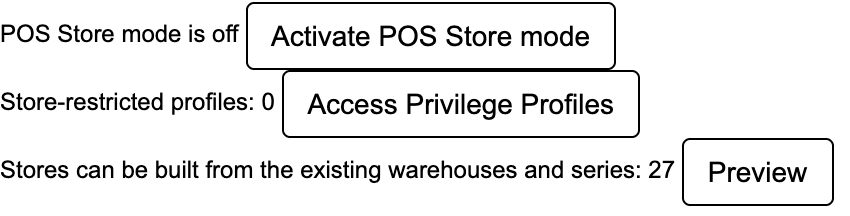
Administration > Stores before the rebuild: POS Store mode off, no Store-restricted profiles, and the rebuild line with Preview.
Select Preview. Nothing changes until you select Apply.
The Stores proposed
The preview lists one row per Store, with:
- the Store's warehouse, sales series and return series;
- the shop's virtual warehouses (for example, warranty returns (RMA) or goods in transit), which are linked to the Store but are not its sales warehouse;
- the profiles to restrict to the Store;
- New workstation when the Store gets its first POS workstation;
- whether the row is a New Store, Completes Store (an existing incomplete Store takes this shop) or an Existing Store.

A detail of the preview: the first two rows, from Store to Virtual warehouses.
The whole table, with every Store proposed:
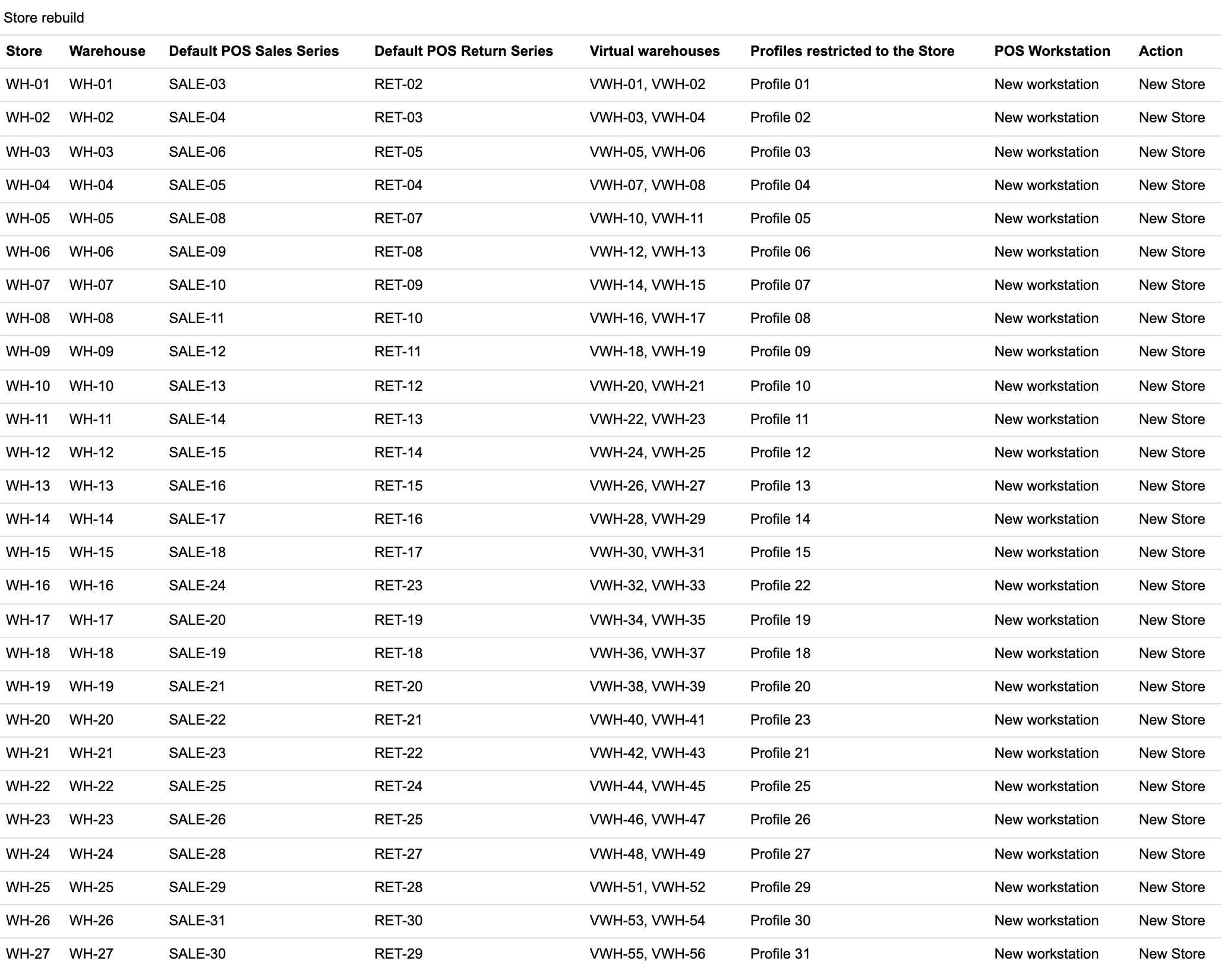
The Stores proposed, one row per shop (an example with neutral names: warehouses WH-nn, virtual warehouses VWH-nn, series SALE-nn and RET-nn).
Check each row against the shops you know: the right warehouse, the right series and the right profile.
The shops left out
Below the Stores, the preview lists what it does not propose, one line each, as "text - warehouse / series":
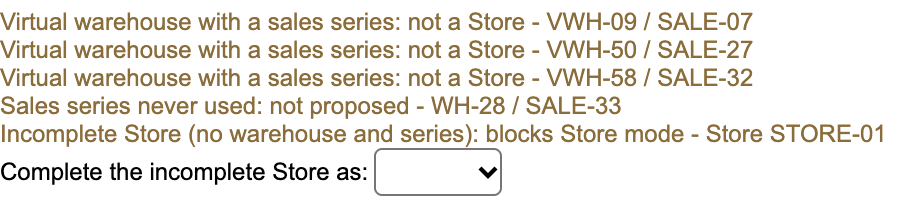
Lines below the Stores: three virtual warehouses with a sales series, a sales series never used, and the incomplete Store 1 with the choice to complete it.
| Line | What it means |
|---|---|
| Virtual warehouse with a sales series: not a Store | A Store's sales warehouse must be physical. The location keeps working as before, without Store behaviour (for example, an online shop). |
| Sales series never used: not proposed | No document was ever issued in the shop's sales series. |
| Several sales series in the warehouse: not proposed | Gestix cannot tell which one is the shop's. |
| No return series: not proposed | The warehouse has no Credit/Return series. |
| Several return series: not proposed | Gestix cannot tell which one is the shop's. |
| Warehouse already belongs to another Store: left as it is | An existing Store already uses the warehouse. |
| No profile is limited to this shop: its Store stays open to every profile | The Store is created, but no profile is restricted to it. |
| Incomplete Store (no warehouse and series): blocks Store mode | An existing Store has no warehouse and series (see Choices in the preview). |
To have a shop proposed, correct its set-up (for example, give it a return series), then open the preview again.
The licence count
The preview ends with Stores after the rebuild: N - Licensed Stores: M. N must not be more than M, or Apply is refused.
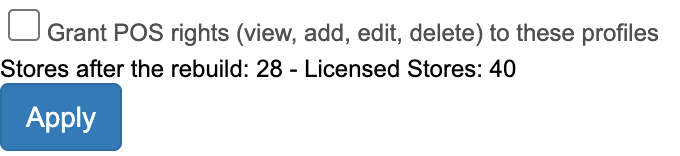
The end of the preview: the box to grant POS rights to the shop profiles listed above it (not ticked), the licence count and Apply.